How to Publish an Audiobook on Apple Books
Apple doesn’t take audiobook uploads directly. Here’s how to get yours there through a partner, what it pays, and how AI narration works.

In this article
Apple Books is on every iPhone, iPad and Mac, which makes it one of the best places to sell an audiobook. But there’s a catch: you can’t upload an audiobook to Apple Books yourself. To publish one, you send it through one of Apple’s preferred partners or another distributor, such as PublishDrive, which delivers it to Apple for you.
This guide explains which partners to use, how to publish step by step, what Apple pays, and how Apple handles AI narration, which it accepts when you disclose it.
Why you need a distributor for Apple Books
Apple lets authors upload ebooks themselves, but not audiobooks. Its audiobook page says: “Upload your audiobook to Apple Books with the help of one of our preferred distribution partners.” The same page promises “clear wholesale pricing terms” and “no exclusivity requirements”.

Which distributor to use
Apple lists eight preferred partners. Some of them mainly work with publishers, so these are the ones most useful to indie authors:
| Distributor | What you keep | AI narration to Apple |
|---|---|---|
| PublishDrive (Apple partner) | 100% of what Apple pays (Apple pays 45%), for a monthly fee from $16.99 for 3 titles | Yes, with the narrating tool and voice in the metadata |
| Lantern (Apple partner) | 75% of revenue, paid quarterly | Not stated |
| Author’s Republic | 80% of what stores pay, no fees | Testing; not every store accepts it |
| Voices by INaudio | 80% of what stores pay | Only files made with Google Play Books, ElevenLabs or Spoken Press |
If your audiobook is AI-narrated and you didn’t make it with one of the three tools INaudio accepts, PublishDrive is the clearest route to Apple today. Its own guide marks Apple Books as accepting AI-narrated audiobooks.

How to publish your audiobook on Apple Books, step by step
These steps follow PublishDrive. Other distributors work in a similar way.
1. Sign up with a distributor
Create an account and choose a plan that includes audiobooks. On PublishDrive, each format counts as a title, so an ebook and its audiobook use two.
2. Add your audiobook and its details
Enter the title, author, description, categories, language and narrator. If the narration is AI, say so in the narrator field and in the description (see the rules below).
3. Upload your files
Upload your chapter files and cover. PublishDrive asks for MP3 at 192 kbps or more, 44.1 kHz, constant bit rate, with files no longer than 78 minutes.
4. Set your price and choose Apple Books
Set your price, then select Apple Books as a store, along with any others you want.
5. Submit
Your distributor checks the files and sends the audiobook to Apple. Apple sells it in its own countries; PublishDrive, for example, delivers Apple audiobooks to over 20 countries, including the US, UK, Canada, Australia and much of Europe.
Apple Books file requirements
Apple’s own spec is flexible, but your distributor may be stricter. Meeting both is easy if you follow the stricter one:
| What | Apple’s spec | Typical distributor spec |
|---|---|---|
| Audio | WAV, FLAC, AAC, ALAC or MP3 (Apple prefers the others to MP3) | MP3, 192 kbps or more, constant bit rate, 44.1 kHz |
| Quality | At least 22.05 kHz, 16-bit | Loudness −23 to −18 dB RMS, peaks at −3 dB |
| Cover | JPEG or PNG, RGB, square, at least 3000 × 3000 px | Often 1400 px minimum |
Make your cover 3000 × 3000 pixels from your original artwork so it meets Apple’s rule whatever your distributor accepts.
AI narration on Apple Books
Apple accepts AI-narrated audiobooks with clear disclosure. Its audiobook formatting guidelines say: “Audiobooks narrated by artificial intelligence must explicitly state this in either the title or narrator field. It must also be referenced in the product description to avoid customer confusion.”

In practice, that means:
- Narrator field: name the voice and say it’s AI, for example “Amir (AI Voice)”, which follows the Audio Publishers Association’s naming guidelines.
- Description: add a line such as “This audiobook is narrated by an AI voice.”
Some older guides say Apple only accepts its own AI narration. That isn’t what Apple’s current guidelines say, but each distributor decides what it sends, so check yours.
Apple Books digital narration
Apple also makes its own AI audiobooks. Apple Books digital narration turns an English ebook that’s already on Apple Books into an audiobook “narrated by Apple Books”, free of charge, through partners such as Draft2Digital, PublishDrive and Ingram CoreSource.
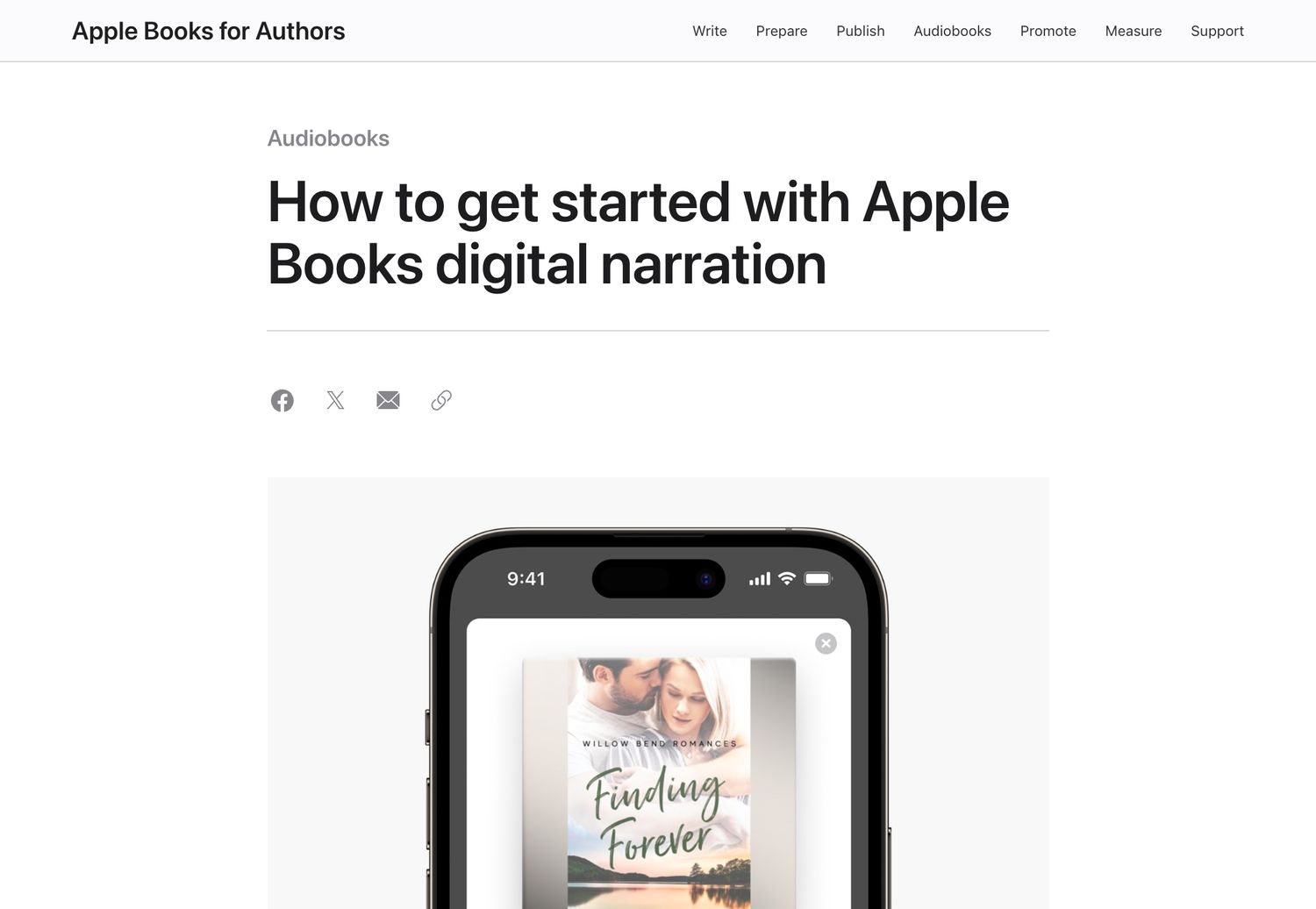
Before you nominate a book, know the trade-offs:
- It’s English only, takes one to two months, and excludes some genres, such as poetry, graphic novels and cookbooks.
- Apple’s page says you keep your audiobook rights, but partner terms can be stricter. Draft2Digital’s terms make Apple the only store for that audio, and PublishDrive says the AI audio’s rights belong to Apple.
- The audio only sells on Apple Books, so if you want the same audiobook on Spotify, Kobo or your own shop, make your own.
Pricing and royalties
Apple sells audiobooks at wholesale price tiers in each country. You set your price through your distributor, Apple pays the distributor a wholesale share, and the distributor pays you. With PublishDrive, Apple’s share is 45%, and PublishDrive passes all of it on in return for its monthly fee. With Author’s Republic or Voices by INaudio, you get 80% of what Apple pays them.
How to choose a distributor
The distributor you pick decides what you earn, which stores you reach and whether your narration is accepted. Ask these five questions before you sign up:
- Does it accept my narration for Apple? If your audiobook is AI-narrated, check the distributor’s own rules. Some only take audio made with specific tools.
- How does it charge? Some take a share of each sale (often 20% of what the store pays), others charge a monthly fee and pass on everything. A fee suits authors with steady sales or several books; a share suits a single book.
- Which other stores does it reach? Most also deliver to Google Play, Kobo, Spotify and libraries. Avoid sending the same book to one store through two routes.
- How often does it pay? Monthly or quarterly, and from what minimum.
- Can you leave easily? Look for no long contract, so you can move your book later.
Metadata that gets accepted
Apple is strict about how audiobooks are described, so fill in your details carefully:
- Narrator: the real narrator’s name, or for AI narration a clear label such as “Amir (AI Voice)”, never a made-up human name.
- Description: mention AI narration in the description too, for example “This audiobook is narrated by an AI voice.”
- Title: your book’s title and subtitle only, without extra keywords or words like “audiobook”.
- Cover: square, at least 3000 × 3000 pixels, with the same title and author as your listing.
- Author: spelled exactly as on your ebook, so Apple links the two editions.
Before you submit: a checklist
- The audiobook is narrated by you, a human narrator, or an AI voice you can disclose.
- Your distributor accepts that narration for Apple Books.
- Chapter files are MP3 at 192 kbps or more (or the format your distributor asks for), in reading order, with opening and closing credits.
- The cover is a square 3000 × 3000 RGB JPEG or PNG.
- The narrator field and description both say if it’s AI.
- Your price is set, and you’ve chosen Apple Books plus any other stores.
After it’s live
Share your Apple Books link on your website and in your newsletter, and add it to the back of your ebook. Price changes, new files and corrections all go through your distributor, which sends them on to Apple, so allow a little time for each update to appear.
FAQ
Can I upload an audiobook to Apple Books myself?
No. Apple only accepts audiobooks through its preferred partners or other distributors that deliver to Apple, such as PublishDrive or Author’s Republic.
Does Apple Books accept AI-narrated audiobooks?
Yes, with disclosure. Apple’s guidelines say AI narration must be stated in the title or narrator field and mentioned in the description. Your distributor must also accept AI narration for Apple.
How much does Apple Books pay for audiobooks?
Apple pays a wholesale share to your distributor. PublishDrive reports it as 45% and passes it all on for a monthly fee. Other distributors keep about 20% of what Apple pays.
What cover size does Apple Books need for audiobooks?
A square JPEG or PNG of at least 3000 × 3000 pixels, in RGB.
What is Apple Books digital narration?
Apple’s free AI narration for English ebooks already on Apple Books. You nominate a book through a partner, and Apple makes an audiobook “narrated by Apple Books”. Read the partner’s terms, because some limit where that audio can be sold.
Is Apple Books exclusive?
No. Apple says there are no exclusivity requirements, so you can sell the same audiobook on other stores and your own shop.
Ready to publish?
Apple Books takes a few more steps than other stores, but a distributor makes it simple, and it accepts AI narration when you’re open about it. See the other places you can sell, and if you need your audiobook made, our AI audiobook generator makes store-ready files, with your first chapter free.
Philip Ghezelbash is the founder of Audiobook Generator and the author of The Stoic Body, which has sold over 10,000 copies on Amazon. He writes about making, publishing and selling audiobooks.
Keep reading
How to Sell Audiobooks on Shopify
Turn your Shopify store into an audiobook shop: the free Digital Products app, file limits, delivery, tax and the apps worth knowing.
Philip Ghezelbash··7 min read
How to Sell Audiobooks on Payhip
A simple store for your audiobook with audio previews and tax handled: setup, files, pricing and fees, step by step.
Philip Ghezelbash··7 min read
How to Sell Audiobooks on Gumroad
Sell your audiobook straight to readers from a Gumroad page: setup, files, pricing, fees and tax, step by step.
Philip Ghezelbash··7 min read