How to Sell Audiobooks on Shopify
Turn your Shopify store into an audiobook shop: the free Digital Products app, file limits, delivery, tax and the apps worth knowing.

In this article
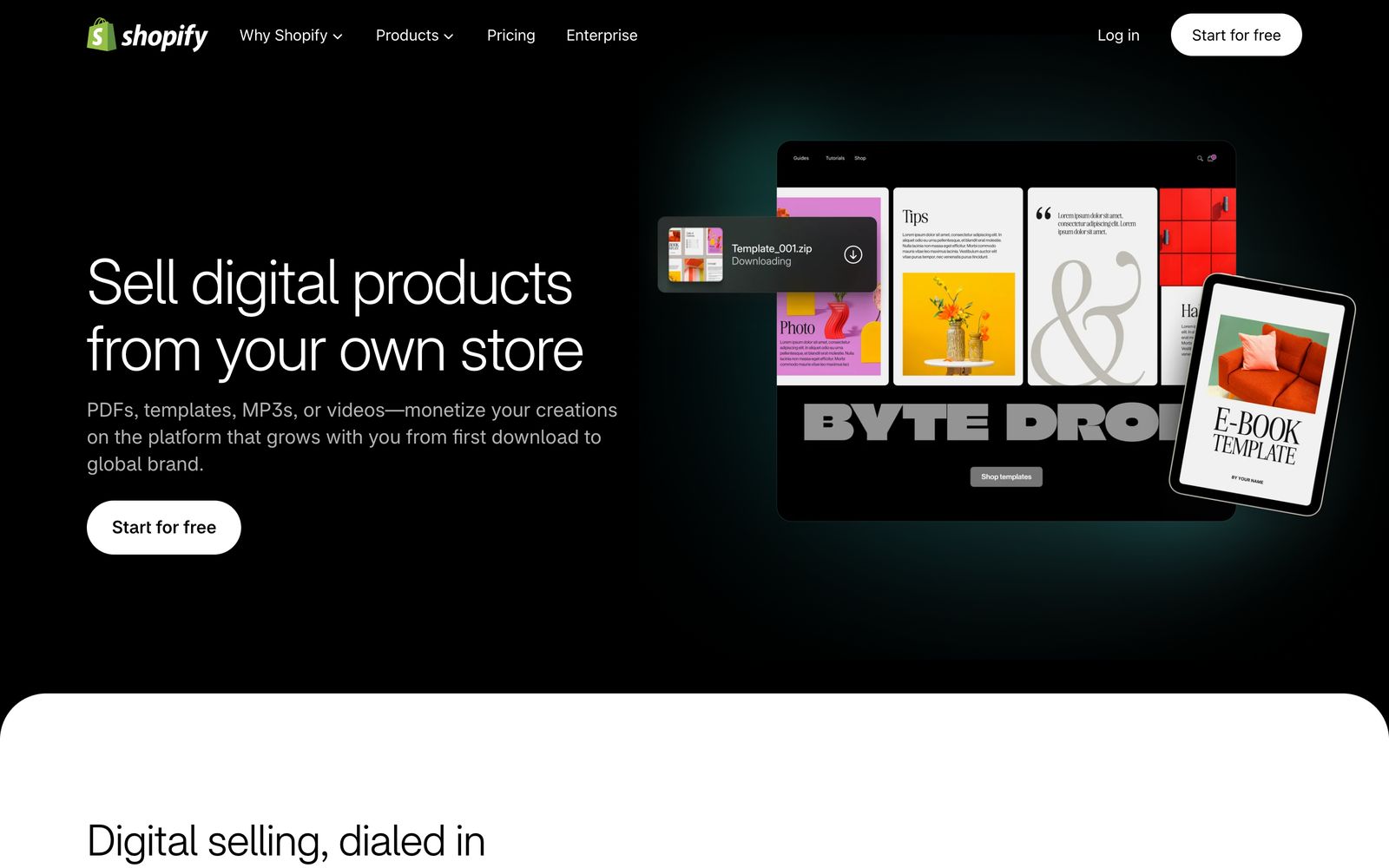
Shopify is the best choice if you want a full author store on your own domain, selling audiobooks next to ebooks, print books and merch. To sell an audiobook on Shopify, install Shopify’s free Digital Products app, create a product, attach your audiobook files to it in the app, set your price, and publish. Buyers get an email with a download link as soon as they pay.
This guide covers the setup step by step, the file limits, how delivery works, tax, and the apps that add more.
What Shopify costs
Shopify charges a monthly plan fee, plus card processing on every sale. Its plans are now called Basic, Grow, Advanced and Plus. Prices vary by country, so check the current price for yours on Shopify’s pricing page. Two things to know:
- The cheap Starter plan is closed to new stores. If an older guide says you can sell audiobooks on Shopify for $5 a month, that’s no longer true for new shops.
- Using a payment provider other than Shopify Payments adds a fee of 0.2% to 2% per sale, depending on your plan. Shopify Payments works in 42 countries.
For most authors, Basic is enough to sell audiobooks.
How to sell your audiobook on Shopify, step by step
1. Install the Digital Products app
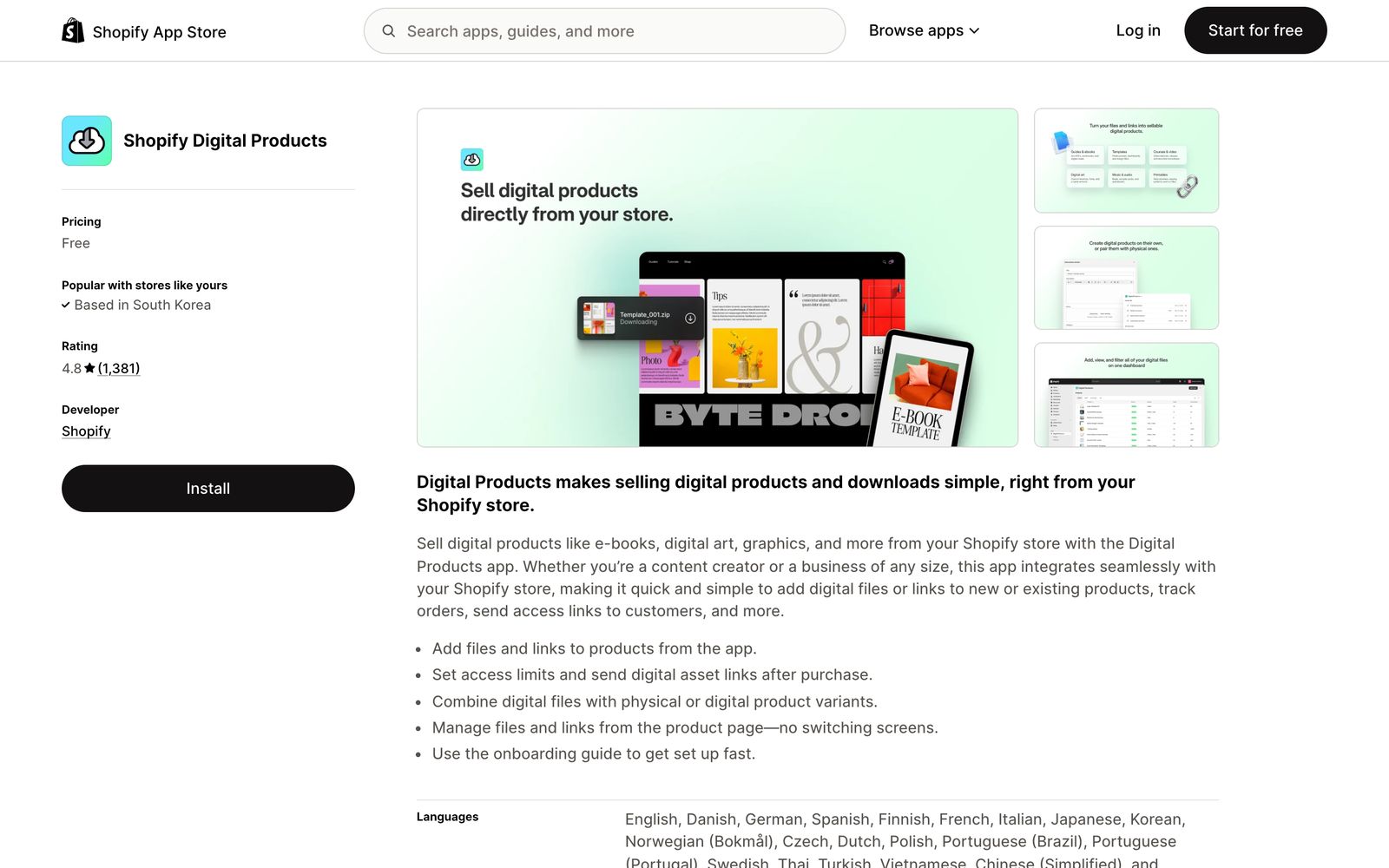
In the Shopify App Store, find Digital Products by Shopify and install it. It’s free and rated 4.8 stars by over 1,300 stores.
2. Create the product
In your admin, go to Products and add a new one: your audiobook’s title, description, price and a square cover image. Shopify says square images around 2048 × 2048 pixels usually look best. Untick “This is a physical product” so customers aren’t asked for a shipping address.
3. Attach your files
Open Apps, then Digital Products, find your product, click Add assets and choose File. Upload your audiobook:
- A ZIP of your chapter MP3s, which plays on any device.
- Your M4B, one file with chapter marks for audiobook apps.
4. Set access and delivery
By default, buyers can download as many times as they like and the email goes out automatically. You can set a download limit per product, and choose to show a Download now link on the thank-you page too.
5. Publish
Set the product to Active, choose your sales channels, and save. Test it with a 100% discount code to see exactly what buyers receive.
File limits

| What | Limit |
|---|---|
| Files per product | Up to 50 (per variant) |
| Total size | 5 GB per product |
| Single file from the product page | 500 MB (upload through the app instead) |
| Archives | ZIP files are fine; folders aren’t |
| Bandwidth | No limit |
Upload through the Digital Products app, not the product page, so you get the full 5 GB.
How buyers get their audiobook
Buyers get an email with a link to a download page, and can also download from the thank-you and order status pages. Shopify’s app delivers files only. It doesn’t have a player for listening in the browser after purchase, so include the MP3s, which play anywhere.
Tax: you’re the seller
On Shopify, you are the merchant. Shopify can calculate and charge the right tax, but in its own words, “you can’t use Shopify to remit or file your taxes for you.”
For European buyers, turn on Charge VAT on digital goods under Settings, then Taxes and duties, and register for the EU’s One-Stop Shop (or the non-Union scheme if you’re outside the EU). In the US, check where you need to collect sales tax. If that sounds like too much, Gumroad and Payhip handle tax for you.
Apps that add more
- Sky Pilot delivers files from branded download pages and customer accounts, with download limits and timed access. Plans start free with small storage limits.
- LemonInk and Miguel add personal watermarks to ebooks and audio files.
- BookFunnel connects to Shopify and delivers your audiobook to its own listening app and a browser player. It needs a paid BookFunnel plan with the audio add-on, and MP3 files of at least 192 kbps.
Sell formats and bundles with variants
Shopify’s Digital Products app attaches files to each variant of a product, up to 50 files and 5 GB per variant. That makes one product page enough for every edition:
| Variant | Files attached | Example price |
|---|---|---|
| Audiobook | ZIP of chapter MP3s, M4B | $14.99 |
| Ebook | EPUB, PDF | $6.99 |
| Ebook + audiobook | All of the above | $17.99 |
Buyers pick the edition they want on one page, and each gets only its own files. A bundle priced a little above the audiobook alone is one of the best reasons to buy from you instead of a big store.
How to write the product page
- Open with the promise. One or two lines on what the book is and who it’s for.
- Let people listen. Shopify’s app doesn’t include an audio player, but you can embed a short sample in the description, or link to one.
- List what’s included. Length, number of chapters, narrator, and the file types.
- Be clear about AI narration. If the voice is AI, say so in the description.
- Use the square cover as the main product image, plus a picture of the book in its other formats if you sell bundles.
Taxes: a practical setup
Because you’re the seller on Shopify, set taxes up before your first sale:
- In Settings, then Taxes and duties, turn on charging tax and add the places you’re registered.
- For Europe, turn on Charge VAT on digital goods and register for the EU One-Stop Shop (OSS), or its non-Union version if you’re outside the EU. You then file one return for all EU sales.
- For the US, check which states expect you to collect sales tax on digital goods.
- Keep your records. Some tax authorities expect two pieces of evidence of where each buyer is, which Shopify’s order data helps with.
If this is more than you want to manage, a merchant of record such as Gumroad, or a platform like Payhip that collects tax for you, is simpler for digital-only sales.
Before you publish: a checklist
- The Digital Products app is installed, and files are attached in the app (for the 5 GB limit).
- “This is a physical product” is unticked, so there’s no shipping step.
- The product has a square cover, a description with what’s included, and a price for each variant.
- Taxes are set up for digital goods where you sell.
- You’ve placed a test order with a 100% discount code and downloaded the files from the email.
Troubleshooting
Customers are asked for a shipping address. The product is still marked as physical. Untick “This is a physical product” on the product page.
A file over 500 MB won’t upload. Upload it from the Digital Products app instead of the product page, where single files are limited to 500 MB.
A customer used up their downloads. If you set an access limit, it counts every download of every file in the variant. Raise the limit in the app’s fulfilment settings so they can download again.
There’s no Download now link after checkout. Turn on downloads at checkout in the app’s settings. It isn’t available on development stores or paused plans.
Gumroad, Shopify or Payhip?
| Gumroad | Shopify | Payhip | |
|---|---|---|---|
| Monthly cost | None | A monthly plan | None on the free plan |
| Fee per sale | 10% + $0.50, plus card fees | Card fees (plus 0.2% to 2% without Shopify Payments) | 5%, 2% or 0% by plan, plus card fees |
| Tax handled for you | Yes, worldwide | No, you file | EU, UK, US and Canada (not Quebec) |
| Audio previews on the page | Embed a clip | Embed a clip | Built-in player |
| Best for | Starting today with no setup | A full author store and bundles | A simple store with tax handled |
Read the Gumroad and Payhip guides if one of those fits you better.
FAQ
Can you sell audiobooks on Shopify?
Yes. Install Shopify’s free Digital Products app, attach your audiobook files to a product, set a price and publish. Buyers get a download link by email.
What is the best Shopify app for audiobooks?
Shopify’s own Digital Products app is free and enough for most authors. Sky Pilot adds branded download pages and access controls, and BookFunnel adds an app and browser player for listening.
How big can audiobook files be on Shopify?
Up to 50 files and 5 GB per product when you upload through the Digital Products app.
Does Shopify handle VAT on digital products?
It calculates and charges it, but you’re the seller, so you register for VAT and file the returns yourself.
Can I sell an AI-narrated audiobook on Shopify?
Yes. Shopify doesn’t have narration rules for your own audiobook. Say it’s AI-narrated in the description so buyers know.
Should I sell MP3 or M4B on Shopify?
Both. A ZIP of chapter MP3s works on any device, and the M4B is one tidy file for audiobook apps.
Ready to sell direct?
A Shopify store gives you full control and your readers’ emails. Use it alongside the big stores, and if you need your audiobook made, our AI audiobook generator gives you the MP3s, M4B and cover, with your first chapter free.
Philip Ghezelbash is the founder of Audiobook Generator and the author of The Stoic Body, which has sold over 10,000 copies on Amazon. He writes about making, publishing and selling audiobooks.
Keep reading
How to Sell Audiobooks on Payhip
A simple store for your audiobook with audio previews and tax handled: setup, files, pricing and fees, step by step.
Philip Ghezelbash··7 min read
How to Sell Audiobooks on Gumroad
Sell your audiobook straight to readers from a Gumroad page: setup, files, pricing, fees and tax, step by step.
Philip Ghezelbash··7 min read
How to Publish an Audiobook on Spotify
The free, non-exclusive way onto Spotify, step by step, with the file specs, how Spotify pays, and how AI narration works there.
Philip Ghezelbash··7 min read